Preferences : Mouse
Preferences
 Mouse
Mouse
Mouse lets you tell the system how many buttons are on your mouse (through the Mouse type menu), and lets you set the Mouse acceleration and Double-click speed.
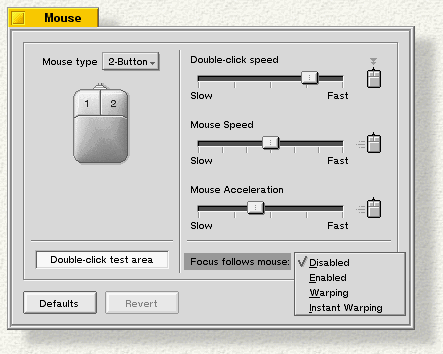
The Focus Follows Mouse setting affects the cursor and its relationship to windows on the desktop:
- Disabled (the default) means the frontmost window is live; clicking in another window brings it to the front and makes it the live window.
- Enabled means the window the cursor is over is live; with Enabled checked, click once in a window's tab or the thin outer window frame to toggle between applications.
- Warping causes the cursor to move to an application you're toggling to (the target app).
- Instant warping is the same as Warping, but faster; you don't see the cursor move to the target app.
