Application and Screen Switching
 |

The BeOS Virtual TourApplication and Screen Switching
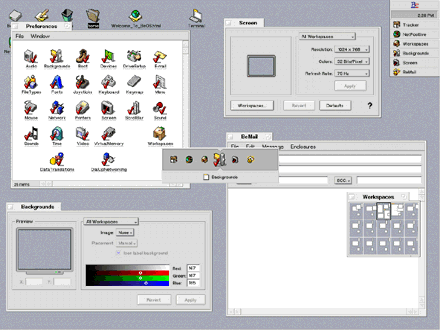
BeOS Release 4 introduces Twitcher, an application switching tool, engaged by pressing Control-Tab. Briefly typing Control-Tab cycles through the running applications. Holding Control-Tab brings up the Twitcher panel, an application switching widget, allowing you to switch applications from within the panel. Release Control-Tab and the selected application to come to the foreground. The Screen and Workspaces preference applications have also been improved in R4. Screen preferences can be set for just the current Workspace, or for all Workspaces. Background images are now supported, not just in each Workspace, but in each Tracker window too! Workspace preferences can also be set on a per-Workspace basis, or applied to all Workspaces.
Tour Index | Next
BeOS Release 4 |