Be User's Guide: Scrollbar
| The Be User's Guide Table of Contents |
Customizing the BeOS: Scrollbar
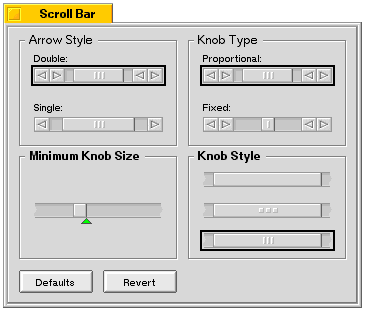 ScrollBar lets you set the look and feel of your window's scroll bars.
Choose the Arrow Style, Knob Style, and Knob Type you prefer. Drag the green arrow to adjust the minimum scroll knob size. Click Defaults to return all the settings to the way they were when you first installed the BeOS. The settings you make here affect windows that are subsequently opened.
for BeOS Release 4.5.
Copyright © 1999 Be, Inc. All rights reserved.