Be User's Guide: Keyboard
| The Be User's Guide Table of Contents |
Customizing the BeOS: Keyboard
Keyboard lets you set the delay between a key press and the subsequent
key repeat, and let's you set the rate at which the key
is repeated.
New settings take effect immediately.
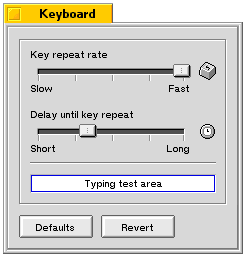
Click Revert to restore your current key-repeat settings Click Defaults to restore the settings that were in effect when you installed the BeOS.
for BeOS Release 4.5.
Copyright © 1999 Be, Inc. All rights reserved.