Be User's Guide: Joysticks
| The Be User's Guide Table of Contents |
Customizing the BeOS: Joysticks
Joysticks configures the joysticks that you have plugged into your computer.
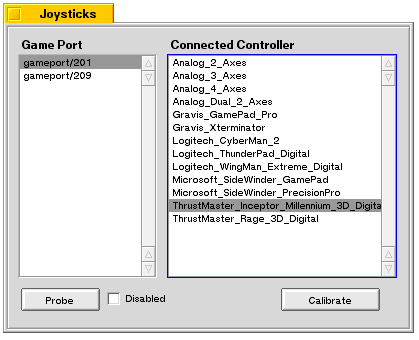
The Game Port list shows the available ports on your computer, with the port your joystick is plugged into selected. Probe will automatically attempt to figure out what kind of controller you have when you select a game port. If Probe can't identify your controller, you can select it manually from the Connected Controller list.
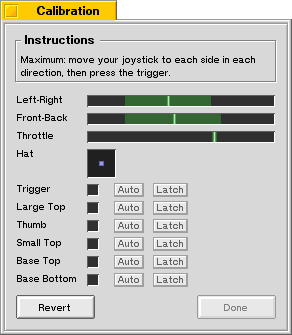 After your joystick is identified, click Calibrate to display the window where you
fine tune your joystick.
Text at the top of the panel instructs you in the art of calibrating your joystick
(the window's appearance depends on the type of joystick you have).
After your joystick is identified, click Calibrate to display the window where you
fine tune your joystick.
Text at the top of the panel instructs you in the art of calibrating your joystick
(the window's appearance depends on the type of joystick you have).
for BeOS Release 4.5.
Copyright © 1999 Be, Inc. All rights reserved.