BeOS Tour

|
![[Cube]](../graphics/cubeprefsicon.gif)
![[Bar]](../graphics/black_bar.gif)
| ||
power by design,
This tour is for those new to the BeOS who want an overview of the capabilities of the system. While there is no replacement for experiencing the performance and interactivity of the BeOS live, in this virtual BeOS demo we will try to give you a feel for the power of the BeOS. 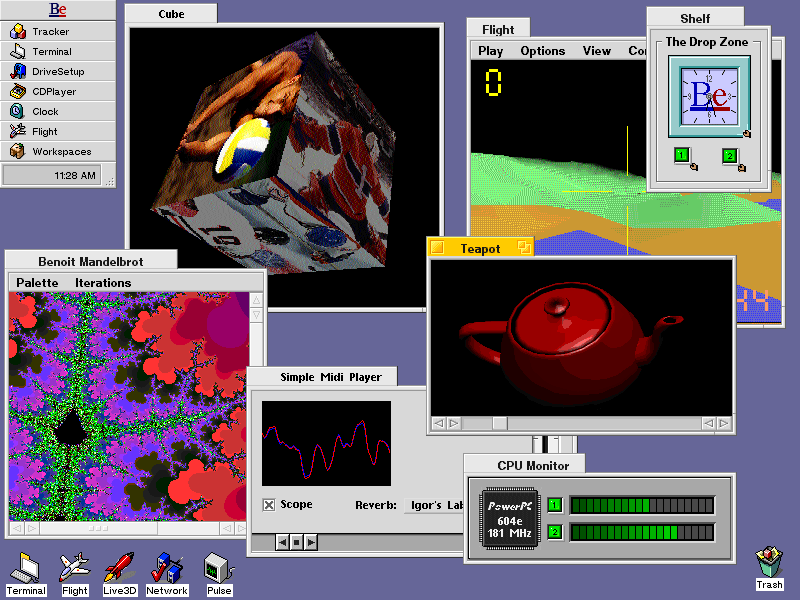 BeOS Tour GuideModern FoundationsUser ServicesInter-Application servicesInternet enabledIntegrated MediaCompatible
Modern FoundationMulti-media professionals require real-time performance, system stability and media integration. The BeOS has been written from the ground up to meet those needs. The BeOS is the first truly modern OS -- designed without the 10-15 years of legacy code seen in other operating systems. The clean and modern foundation of the BeOS enables the system to be small, responsive, stable and easy to program. One Be developer describes the BeOS as "low-friction" because the OS doesn't have the layers and layers of code that make applications huge and slow. In this tour we will only visit three of the important modern foundations of the Be Operating System -- multithreading, multiprocessor, and protected memory. See the Media OS whitepaper for additional details on BeOS foundation capabilities. Multiprocessor (MP)Most personal computers have been designed for a single microprocessor. If you have a computer with the fastest available processor and still need higher performance, you are stuck. The BeOS enables an exciting high performance alternative -- personal computers with more than one processor. The BeOS currently runs on one, two and four processor systems. The operating system itself has no limit on the number of processors in the system so as new hardware becomes available, the BeOS automatically takes advantage of the additional horsepower.
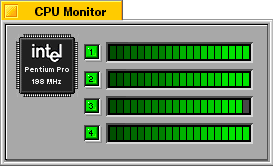
The CPU monitor is an application that comes with the BeOS that graphically displays the number of processors in the computer (in this case 4), their type and speed, and the amount of work they are doing at the time. The CPU monitor even allows you to turn processors on and off. Not only will the computer not crash, but the work will be dynamically re-allocated to the processors that are available. MultithreadedA multiprocessor computer will not perform as expected unless both applications and the operating system take advantage of that capability. The key to exploiting a multiprocessor system is pervasive multithreading, which is the process of breaking down a task into sub-tasks that can operate in parallel. In a multithreaded multiprocessor system, threads can be performed in parallel and can actually be executed on separate processors, thereby dramatically increasing performance. Unlike other "multiprocessor capable" operating systems, the BeOS is heavily multithreaded throughout both the programming model and the operating system. It is virtually impossible to create a single threaded BeOS application because the system provides threads automatically.
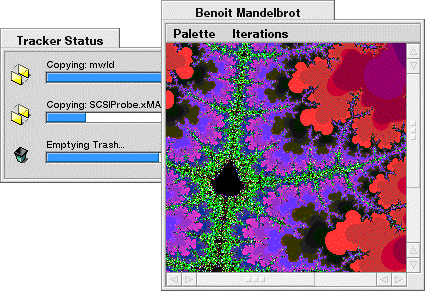
The graphic above demonstrates BeOS both multitasking and multithreading -- files are being copied and deleted at the same time as the Benoit Mandelbrot application is drawing. Mandelbrot provides an excellent example of application threading in the BeOS. The application has six threads but only two are handled by the programmer. The system provides two threads to handle drawing the window and two to handle the menu items. The author uses two threads to actually calculate and draw every other line of the contents of the window. The multithreaded design of the BeOS and the application result in performance that is twice as fast on a dual-processor computer as it is on a single processor machine.
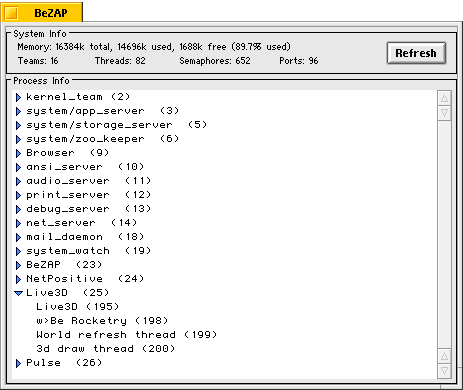
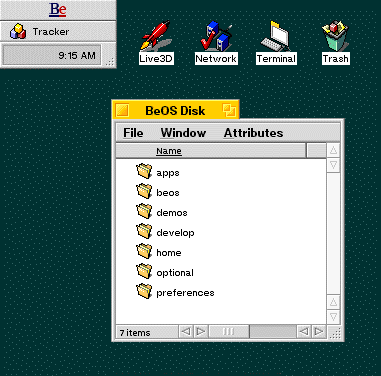
The overall performance the user experiences also depends on the threading within the operating system itself. Underlying components of the BeOS are extremely multithreaded to enable tasks to run simultaneously. The BeZAP application shows that there are over 80 threads on this BeOS system that only has four applications running. Protected MemoryAn operating system with protected memory is one where each application has its own memory space. If one application crashes, it doesn't corrupt other applications nor the underlying system. You can simply re-launch the offending application rather than having to reboot the entire system. In the BeZAP screen shot above each application, as well as elements of the operating system, is operating in its own memory space. Powerful User ServicesThe user interface of the BeOS leverages existing user interface paradigms and improves upon them. This allows you to leverage what you already know about using a computer, and get right to work in the BeOS. Tracker & TrackBarThe Tracker provides a user interface for working with files. It is analogous to the Mac OS Finder or the Windows Program Manager.
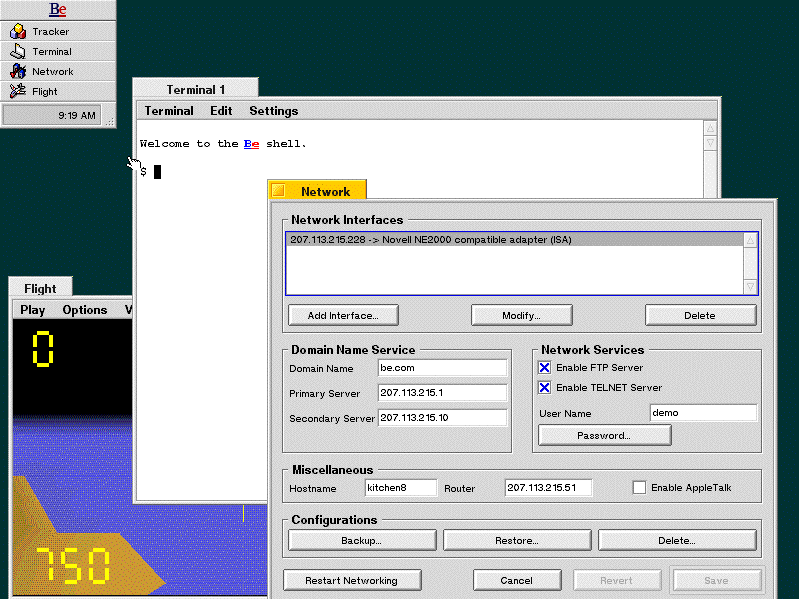
TrackBar, shown on the top left of the BeOS desktop above, has several uses. It offers:
The TrackBar can be repositioned vertically and attached to any corner of the screen, or horizontally at the top or bottom of the screen (and can be repositioned on the fly.) Desktop Icons & Soft LinksThe BeOS allows users to flexibly organize their data and applications. With support for desktop icons, users can have favorite files or applications right on the desktop for easy access.
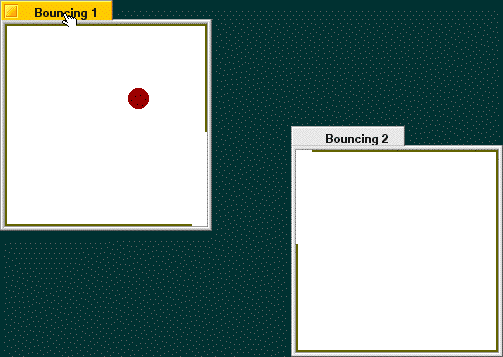
The system also supports soft links (similar to aliases in the Mac OS, or shortcuts in Windows 95), which enable users to have multiple virtual copies of a file or application all linked back to one source. MIME Type SupportThe Tracker uses the Internet standard MIME types to support associating applications with the documents they create. The MIME type facility in the BeOS allows users to just double-click documents to open the associated application as well as to change the association to another application. For example you could reassign a GIF document created with an image editor to a Web browser so each time you double-click the document, the Web browser is launched to display the GIF rather than the image editor. Inter-Application ServicesInter-Application Services are a suite of interfaces and tools enabling the BeOS and BeOS applications to be more powerful, yet smaller and better integrated. MessagingThe BeOS has one simple and standard way for one entity to communicate with any other entity in the system. Cut&Paste, Drag&Drop, scripting, inter-application communication, and Be's Replicator technology are all handled with the same mechanism -- called a BMessage. This unification dramatically simplifies programming the BeOS. One example of messaging is demonstrated by the BeBounce application. It is a simple demo that bounces a red ball in a small box. When two copies of the application are launched messages are sent in real time between the two applications. These messages cause each window to create an opening based on their position relative to each other. The Be messaging mechanism is used for the applications to communicate their position and the trajectory of the ball so it can bounce out of an opening in one window and into the other.
Replicator TechnologyThe BeOS has a powerful and elegantly simple component software technology
called Replicator technology. Replicator technology allows objects of one application
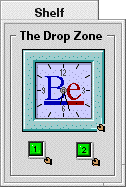
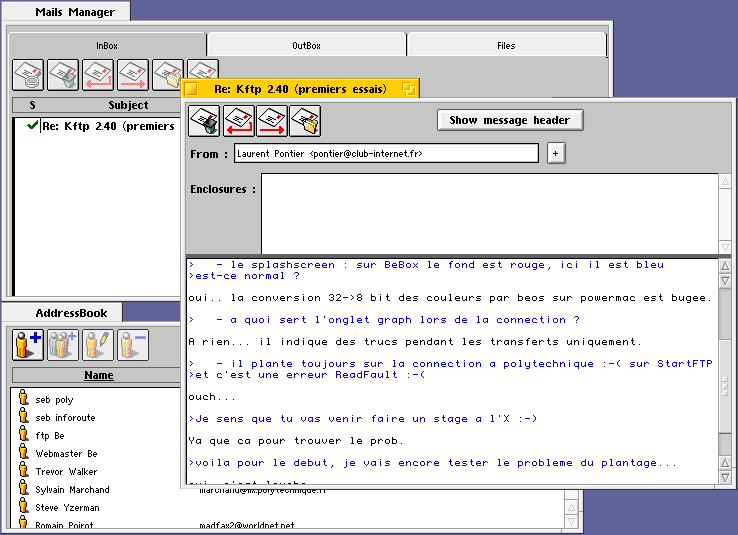
to be shared and run within another application -- code and all. The Shelf demonstration application illustrates how you can Replicate objects from one application (in this case the face from the clock and the on/off buttons from the CPU Monitor) and have them contained in another application. The face and the on/off buttons are not simply graphics but running portions of those applications. With Replicator technology, you can Replicate the window from your Web browser and have it display on your desktop (which is just one huge container application) and it will be active and updated just as if you were running the browser itself. File System QueriesThe BeOS includes file system-level query capabilities. Every BeOS file or directory can have attributes which can be indexed and quickly searched. Applications can utilize this system capability rather than having to write their own light-weight database functions. A simple third party e-mail application called MailIt uses file queries extensively to track e-mail messages and addresses. Rather than having to implement all of this functionality himself, the author utilized BeOS system services, resulting in a smaller and simpler application.
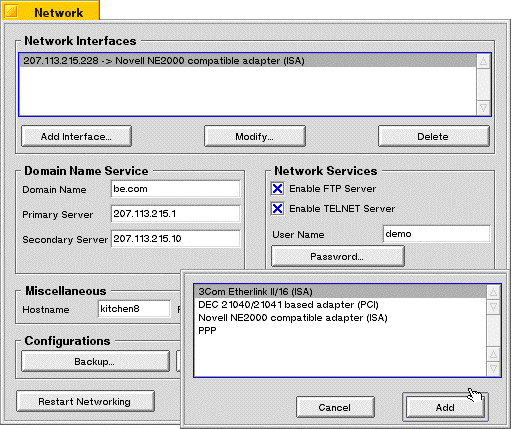
Internet EnabledThe Internet is a critical enabling technology for Be so we have included many basic Internet capabilities with the BeOS. TCP/IP and Ethernet are the network standards of both the Internet and the BeOS. The BeOS supports many systems' on-board Ethernet as well as a number of popular Ethernet cards. The Network Preference application, shown below, allows the concurrent use of multiple Ethernet cards with multiple IP addresses. All settings are reconfigurable without restarting the machine.
Internet CommunicationThe Network Preference application allows the configuration of PPP, Telnet and FTP functionality:
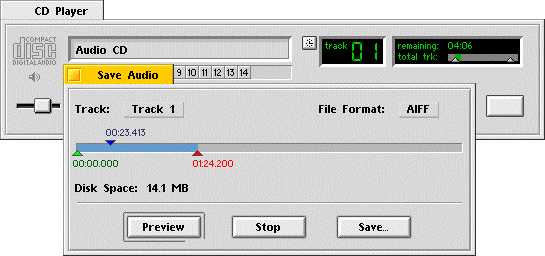
Web and E-mailBecause Internet communication is central to the BeOS we include a basic Web browser (NetPositive) and e-mail application (BeMail). A variety of third party developers are providing even more functional applications, so users can upgrade if they need more capabilities. Integrated MediaNative realtime support and the ability to work with and integrate popular media types is critical for a "Media OS." The BeOS offers realtime thread priorities to support realtime applications such as audio and video. The operating system also includes a modular data services library, the Translation Kit, that provides a standard way for applications to read, write, translate, and manipulate any file format that has a module. Currently, developers have written add-ons that support a wide variety of graphics, video, sound, 3D, etc. formats, and more are coming every week. With BeOS messaging and Replicator technology, we expect to see applications that give new meaning to the term multimedia. Digital AudioThe realtime audio capabilities of the BeOS are extensive. Because all sound is routed through the BeOS as a digital audio stream, developers are using the audio capabilities in the BeOS to apply filters and special effects to an audio stream, such as a CD being played from a CD-ROM drive, in realtime. | |||
Copyright ©1998 Be, Inc. Be is a registered trademark, and BeOS, BeBox, BeWare, GeekPort, the Be logo and the BeOS logo are trademarks of Be, Inc. All other trademarks mentioned are the property of their respective owners.Icons used herein are the property of Be Inc. All rights reserved. | |||